
Introduction
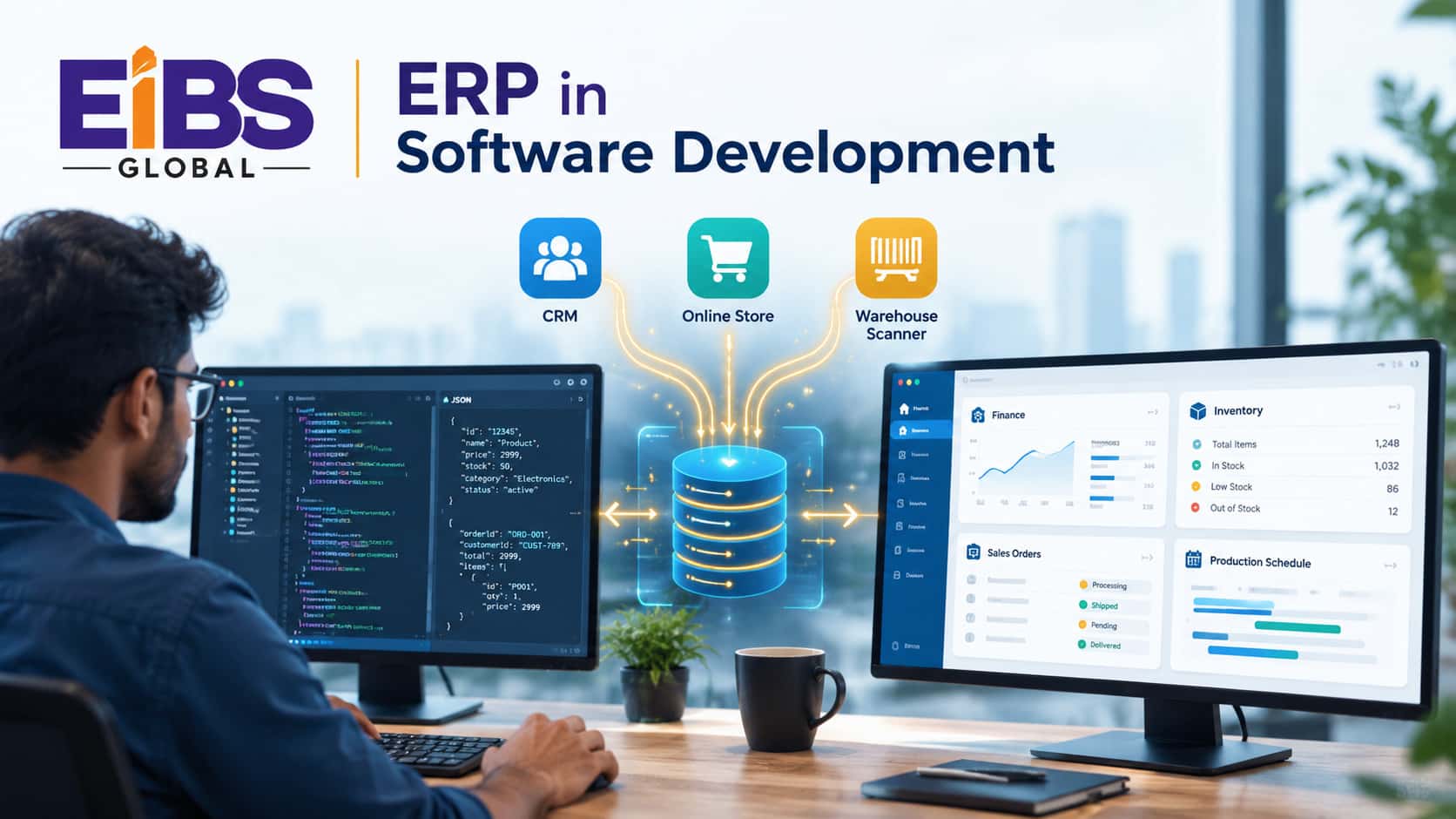
Almost every business application eventually touches an ERP. An e-commerce store needs stock levels. A billing app needs customer accounts. A warehouse scanner needs purchase orders. That’s why understanding ERP in software development matters for anyone who builds business software.
Yet ERP can feel opaque to developers. Its data models are large, its rules are strict, and changing it carelessly can break finance or operations. As a result, teams often treat it as a black box.
In this guide, Elysian Intelligence Business Solution explains ERP from a software perspective. You’ll learn what it means, how it differs from other systems, the seven concepts every developer should know, and how integration and extension really work.
What Does ERP Mean in Software Development?
In software development, ERP means the enterprise resource planning system that acts as a company’s central source of truth for financial and operational data. Developers either build ERP software, extend it with custom modules, or integrate other applications with it.
At a glance: Three roles developers play with ERP Building: ERP system development creates the platform or new modules.
Extending: Developers add features through SDKs, plug-ins, or low-code tools without changing the core.
Integrating: Developers connect CRM, e-commerce, apps, and devices to ERP through APIs and middleware.
Most developers work in the second and third roles. In fact, building a full ERP from scratch is rare, while integration work is almost constant.
How Is ERP Different From Other Business Software?
ERP differs from other business software because it manages the core transactions of the whole company in one shared database, with strict rules for accuracy and auditability. Other tools, such as CRM or project apps, focus on one function and usually rely on ERP for master data.
| System | Main Purpose | Typical Data | Relationship to ERP |
|---|---|---|---|
| ERP | Run finance and operations | Ledger, items, orders, inventory, payroll | System of record |
| CRM | Manage leads and customers | Contacts, deals, activities | Sends won deals; reads customer and pricing data |
| E-commerce | Sell online | Carts, web orders, payments | Sends orders; reads stock and prices |
| WMS | Run warehouses | Bins, picks, shipments | Syncs inventory and fulfillment |
| HR / payroll app | Manage people | Employees, time, pay | Posts payroll costs to ERP finance |
| Custom apps | Solve specific needs | Varies | Reads and writes through APIs |
In short, ERP sits at the center. Therefore, design decisions in any connected system should respect the ERP’s data model and rules.
What Are the 7 Essential Concepts of ERP in Software Development?
Neither option is better for everyone. Off-the-shelf CRMs win on speed and low upfront cost. Custom CRM development wins on fit, long-term cost and control. The table below shows where each one comes out ahead.
The seven essential concepts of ERP in software development are the system of record, master data, modular architecture, business processes, integration, configuration versus customization, and security with compliance. Together, they explain how ERP behaves and why it must be handled carefully.
1. System of record
ERP holds the official version of financial and operational truth. So, when two systems disagree, the ERP usually wins.
2. Master data
Master data includes customers, suppliers, items, prices, and the chart of accounts. Because every transaction depends on it, poor master data causes errors everywhere.
3. Modular architecture
ERP is built from modules, such as finance, inventory, procurement, and sales. Modules share one database but can be deployed in phases.
4. Business processes
ERP encodes end-to-end processes like order-to-cash and procure-to-pay. Consequently, a change in one step can affect finance downstream.
5. Integration
Modern ERP exposes APIs and events so other systems can exchange data. Good integration design prevents duplicates and timing conflicts.
6. Configuration vs. customization
Configuration uses built-in settings; customization changes or adds code. Configure first, because custom code adds upgrade and testing effort.
7. Security and compliance
ERP holds sensitive financial and personal data. It needs role-based access, audit trails, and controls that support standards such as SOX or GDPR.
How Does ERP Integration in Software Development Work?
ERP integration in software development works by connecting applications to the ERP through one of four patterns: direct APIs, middleware or iPaaS, event-driven messaging, or file-based exchange such as EDI. The right pattern depends on volume, timing, and how many systems are involved.
| Pattern | How It Works | Best For | Trade-offs |
|---|---|---|---|
| Direct API (point-to-point) | App calls the ERP's REST or OData API | One or two simple connections | Becomes tangled as connections grow |
| Middleware / iPaaS | A hub such as MuleSoft, Boomi, or Azure Integration Services routes data | Many systems, complex mapping | Extra license and skills |
| Event-driven | Systems publish and subscribe to events through a message broker | Real-time updates at high volume | More design effort; needs monitoring |
| File-based / EDI | Scheduled files or EDI messages | Suppliers, banks, legacy systems | Not real-time; error handling is harder |
Integration design tips
- Decide which system owns each data field before writing code.
- Use unique IDs across systems to prevent duplicates.
- Make integrations idempotent, so retries don’t create double records.
- Log every message and alert on failures.
- Respect API rate limits and batch large loads.
For example, Microsoft documents its Dynamics 365 APIs in detail on Microsoft Learn, which is a good model of the contract developers should expect from any ERP.
How Do Developers Build and Extend ERP Systems?
Developers extend ERP systems through vendor SDKs, plug-ins, low-code tools, and side-by-side services that call the ERP’s APIs, rather than editing core code. This approach to ERP in software development keeps upgrades simple while still adding custom features.
Common extension methods
- Vendor SDKs and extension frameworks: For example, extensions for Dynamics 365 Business Central or modules for Odoo.
- Low-code platforms: Tools such as Microsoft Power Platform for forms, approvals, and small apps.
- Side-by-side services: Custom microservices that run outside the ERP and talk to it through APIs.
- Custom modules: Full ERP system development for processes no platform supports.
DevOps for ERP
Modern ERP teams use the same disciplines as other software teams. That means version control, automated tests, separate development and test environments, and controlled release pipelines. Moreover, because ERP changes touch finance, every release should include regression tests on key processes like invoicing and stock movements.
Why Do Software Companies Use ERP Themselves?
Software companies use ERP to manage project accounting, subscription billing, revenue recognition, resource planning, and multi-entity finance. As they grow, spreadsheets and basic accounting tools can’t keep up with recurring revenue and complex contracts.
Typical ERP needs of software firms
- Project accounting: Track hours, costs, and margins per client project.
- Subscription billing: Handle monthly, annual, and usage-based plans.
- Revenue recognition: Apply rules such as ASC 606 or IFRS 15 to multi-year contracts.
- Resource planning: Match developers to projects by skill and availability.
- Multi-entity finance: Consolidate offices or subsidiaries in different countries.
In other words, ERP in software development isn’t only about building ERP for others. Software firms also rely on ERP software solutions to run their own business.
What Are the Benefits and Challenges of ERP in Software Development?
A typical ERP integration project connects one or more applications to the ERP, automates a full business process, and removes manual re-entry. The worked example below shows a SaaS company automating order-to-cash.
| Benefits | Challenges |
|---|---|
| One trusted source for financial and operational data | Large, complex data models with strict rules |
| Automated order-to-cash and procure-to-pay flows | Custom code can complicate vendor upgrades |
| Real-time reporting across departments | Integrations need monitoring and error handling |
| Fewer manual entries and reconciliation errors | Testing must cover finance-critical processes |
| Scalable foundation for new apps and channels | Specialist ERP skills can be scarce and costly |
Overall, the benefits outweigh the challenges when teams plan data ownership, limit core changes, and invest in testing.
What Does an ERP Integration Project Look Like?
A typical ERP integration project connects one or more applications to the ERP, automates a full business process, and removes manual re-entry. The worked example below shows a SaaS company automating order-to-cash.
Worked example: a 120-person SaaS company
Consider a B2B SaaS company with 120 staff and about 1,400 customers. Sales closed deals in its CRM, but finance re-typed every contract into the ERP to create invoices. As a result, invoices went out late, and about 4% contained errors.
The company brought in Elysian’s integration team. Over 14 weeks, the team:
- Mapped data ownership: CRM owns deals, ERP owns customers, items, and invoices.
- Built an event-driven integration so a “closed-won” deal created a sales order in the ERP within minutes.
- Connected the product’s usage data to the ERP for usage-based billing.
- Added monitoring, retries, and a daily reconciliation report.
Six months later, invoice errors fell from about 4% to under 0.5%. In addition, average time from deal close to invoice dropped from six days to same-day, and finance saved roughly 60 hours a month of manual entry.
Note: This is an illustrative composite example based on typical mid-market outcomes. Replace it with a verified Elysian client case study before publishing.
Common Mistakes With ERP in Software Development
The most common mistakes with ERP in software development are modifying the core, ignoring master data ownership, and building fragile point-to-point integrations. Each one creates hidden costs during upgrades and growth.
Conclusion
ERP in software development comes down to one idea: the ERP is the system of record, and everything else must work with it carefully. Learn the seven core concepts, choose the right integration pattern, extend rather than modify the core, and test finance-critical processes every time.
If you’re connecting apps to an ERP or extending one for your business, Elysian Intelligence Business Solution can help. Our team delivers ERP integration, extension, and ERP implementation services across leading platforms. Book a free technical consultation to plan your next step.