
Introduction
Most ERP systems were designed for office desks and big screens. Yet much of the real work happens elsewhere: on a warehouse floor, in a delivery van, or at a customer’s site. As a result, valuable ERP data often sits out of reach for the people who need it most.
ERP application development closes that gap. It puts the right ERP data and actions into simple apps built for specific jobs. Done well, these apps save hours every week. Done poorly, they become one more tool nobody opens.
In this guide, Elysian Intelligence Business Solution walks through the full process, step by step. You’ll learn how to plan, design, connect, test, and launch an ERP app, plus the mistakes that cause most apps to fail.
What Is ERP Application Development?
ERP application development is the process of designing, building, and maintaining focused web, mobile, or desktop apps that work with an ERP system. These apps give specific users, such as field technicians or customers, a simpler way to view and update ERP data for one task.
At a glance: ERP app vs. ERP module An ERP module is part of the ERP itself, such as inventory or finance. An ERP app is a separate, focused application that connects to the ERP through APIs. Custom ERP application development builds those apps around a company’s own workflows and devices.
In short, the ERP stays the system of record, while the app becomes the easy front door for one group of users.
Why Invest in ERP Application Development?
Businesses invest in ERP application development to remove paper and re-typing, give frontline and external users access to ERP data, speed up approvals, and improve data accuracy, all without replacing the ERP itself.
- Less re-entry: Data is captured once, at the source.
- Faster decisions: Managers approve on mobile instead of waiting for a desk.
- Better accuracy: Barcode scanning and validation reduce errors.
- Self-service: Customers and suppliers check orders, invoices, and deliveries themselves.
- Higher adoption: Simple screens are easier to learn than full ERP menus.
- Lower cost than replacement: Apps extend the ERP you already paid for.
Therefore, a focused app is often the fastest way to get more value from an existing ERP.
What Are the 8 Steps of ERP Application Development?
ERP application development follows eight steps: define the problem, research users, design the experience, plan the integration, choose the build approach, develop in sprints, test in real conditions, and launch with measurement. Each step reduces a specific risk.
- Define the problem. Pick one process and one measurable goal, such as “cut picking errors by 50%.”
- Research users. Shadow the people who will use the app and note devices, gloves, noise, lighting, and signal strength.
- Design the experience. Sketch flows and build a clickable prototype; test it with five to eight real users.
- Plan the integration. List every ERP object the app reads or writes, and decide how data syncs.
- Choose the build approach. Select low-code, cross-platform, or native development based on complexity.
- Develop in sprints. Build in two-week cycles and demo working features to users each time.
- Test in real conditions. Run functional, integration, offline, performance, and security tests on site.
- Launch and measure. Pilot with one team, track adoption and results, then roll out and improve.
Notably, steps 2 and 4 are the ones most often rushed. However, they prevent the two most common failures: apps users dislike and apps that corrupt ERP data.
How Should You Design ERP Apps for Real Users?
Design ERP apps around one task per screen, large touch targets, minimal typing, and clear feedback, because frontline users often work fast, with gloves, in poor light, or with weak signal. Good design follows the user’s real sequence of work, not the ERP’s menu structure.
Practical design principles
- One task per screen: Show only what’s needed for the current step.
- Scan, don’t type: Use barcodes, QR codes, and pick lists instead of text fields.
- Big, clear controls: Large buttons and high contrast for busy environments.
- Instant feedback: Confirm every action with a sound, vibration, or color change.
- Plain language: Use your team’s words, not ERP field names.
- Accessible by default: Follow WCAG 2.2 guidance for contrast and target size.
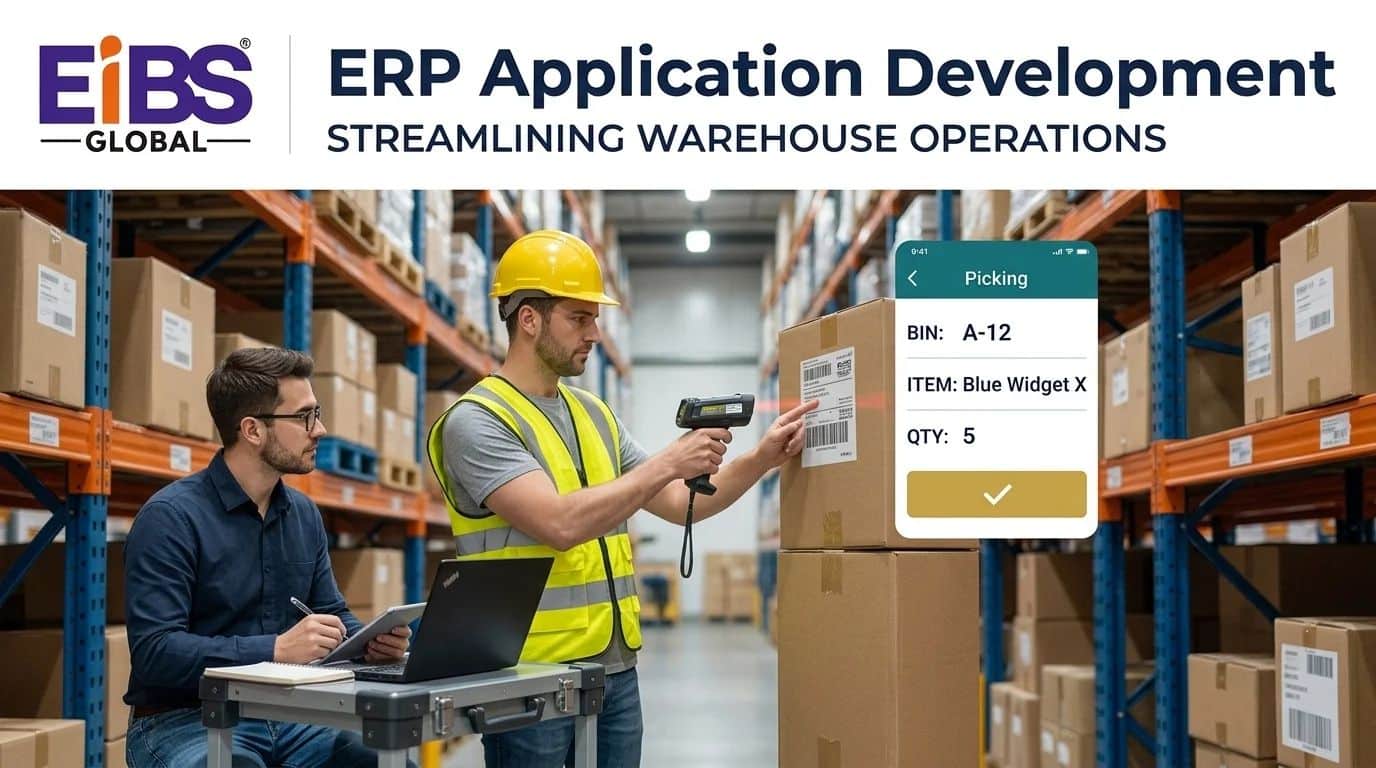
For example, a picking screen that shows bin, item, and quantity in large text, with one “Confirm” button, usually beats a dense form with every field visible.
How Do ERP Apps Connect and Sync With the ERP?
ERP apps connect through the ERP’s APIs, often via a thin service layer, and sync data in real time, in scheduled batches, or offline-first with later reconciliation. The right pattern depends on how fresh the data must be and how reliable the connection is.
| Sync Pattern | How It Works | Best For | Watch Out For |
|---|---|---|---|
| Real-time API | App reads and writes directly through ERP APIs | Office and strong-signal use | Fails when offline; API rate limits |
| Service layer (backend-for-frontend) | A small middle service shapes and caches ERP data for the app | Most mobile apps | One more component to maintain |
| Scheduled sync | Data updates every few minutes or hours | Catalogs, price lists | Data can be briefly out of date |
| Offline-first | App stores data locally and syncs when connected | Field and warehouse work | Needs clear conflict rules |
Handling conflicts
When two people change the same record offline, the app needs a rule. Common choices are “ERP wins,” “latest change wins,” or “flag for review.” In addition, every sync should be logged, so errors can be traced and fixed quickly.
Low-Code or Pro-Code: Which Approach Fits?
Low-code suits simple internal apps, such as approvals and forms, that need fast delivery. Pro-code, either cross-platform or native, suits complex, high-volume, offline, or customer-facing apps. In ERP application development, many teams use both and choose per app.
| Factor | Low-Code | Cross-Platform Pro-Code | Native Pro-Code |
|---|---|---|---|
| Example tools | Power Apps, OutSystems, Mendix | Flutter, React Native | Swift (iOS), Kotlin (Android) |
| Speed to first version | Fastest | Fast | Slower |
| Offline and sync control | Limited | Strong | Strongest |
| Device features (scanners, camera) | Basic | Good | Full |
| User experience polish | Moderate | High | Highest |
| Licensing | Per-user platform fees | None for the framework | None for the framework |
| Best for | Approvals, forms, simple dashboards | Most field, sales, and warehouse apps | Heavy scanning or hardware integration |
As a rule, start with the simplest approach that meets the toughest requirement. For instance, if offline picking with rugged scanners is essential, low-code is probably the wrong choice.
How Do You Test, Launch, and Measure ERP Apps?
Test ERP apps on real devices in real locations, launch with a pilot team first, and measure adoption, task time, and error rates against the baseline. These steps turn ERP application development from a one-off project into a steady improvement cycle.
Testing checklist
- ☐ Functional tests for every user flow
- ☐ Integration tests against a copy of the ERP
- ☐ Offline and poor-signal tests on site
- ☐ Performance tests at peak volume
- ☐ Security tests, guided by the OWASP Mobile Application Security project
- ☐ User-acceptance tests with the pilot team
Launching the app
Internal apps are usually distributed through mobile device management (MDM) or an enterprise app store. Customer apps go through public app stores or the web. Either way, launch with one team, fix issues fast, and then roll out site by site.
What to measure
| KPI | What It Shows | Example Target |
|---|---|---|
| Weekly active users | Adoption | 90% of target users |
| Task completion time | Speed | –40% vs. old process |
| Error rate | Data quality | –50% |
| Sync failures | Integration health | Under 0.5% of transactions |
| User satisfaction | Experience | 4 out of 5 or higher |
What Does a Successful ERP App Build Look Like?
A successful ERP app build solves one clear problem, follows the eight steps, and shows measurable gains within a few months. The worked example below shows a warehouse picking app for a wholesale business.
Worked example: a 140-person electrical wholesaler
Consider an electrical wholesaler with 140 staff, two warehouses, and around 22,000 stock items. Pickers worked from printed pick lists and keyed results into the ERP at the end of each shift. As a result, about 3% of orders contained picking errors, and stock levels were often a day out of date.
The company followed the eight-step process. After shadowing pickers for a week, the team chose an offline-first, cross-platform app for rugged handheld scanners. Over four months, the developers:
- Built one-screen-per-step picking with barcode confirmation.
- Added a small service layer to cache orders and sync with the ERP.
- Set clear conflict rules for stock adjustments made offline.
- Piloted the app with one shift before rolling out to both warehouses.
Three months after launch, picking errors fell from about 3% to 0.4%. In addition, stock levels updated within minutes instead of a day, and average pick time dropped by roughly 25%. The app cost $118,000 to build.
Note: This is an illustrative composite example based on typical mid-market outcomes. Replace it with a verified Elysian client case study before publishing.
Three months after launch, picking errors fell from about 3% to 0.4%. In addition, stock levels updated within minutes instead of a day, and average pick time dropped by roughly 25%. The app cost $118,000 to build.
Note: This is an illustrative composite example based on typical mid-market outcomes. Replace it with a verified Elysian client case study before publishing.
Common Mistakes in ERP Application Development
The most common mistakes in ERP application development are skipping user research, mirroring ERP screens in the app, ignoring offline needs, and launching without measurement. Each one lowers adoption or puts ERP data at risk.
- Copying ERP screens. An app full of ERP fields is just a smaller, harder ERP.
- Skipping field research. Office assumptions rarely survive the warehouse or the van.
- Treating offline as optional. Weak signal is common in many work sites.
- Writing directly to ERP tables. Always use supported APIs to protect data integrity.
- No pilot. Launching to everyone at once multiplies early problems.
- No metrics. Without a baseline, you can’t prove or improve the app’s value.
Conclusion
ERP application development turns ERP data into simple tools people actually use. Start with one problem and one group of users, research how they really work, plan sync carefully, and pick the simplest approach that meets your toughest need. Then test on site, pilot first, and measure everything.
If you’re planning your first ERP app, Elysian Intelligence Business Solution can help. Our ERP application development services cover user research, design, custom ERP application development, integration, and support. Talk to us about the app your team needs most.