
Introduction
An ERP system becomes the backbone of your business. It holds your financial records, stock levels, orders, and people data in one place. That is exactly why the ERP development process deserves careful planning. A rushed build can disrupt operations for months, while a well-run one can transform how every team works.
Yet many guides list the steps without explaining what happens inside each one. In this article, we walk through all eight phases in plain English. You will see what each phase delivers, how long it takes, who is involved, and where projects most often go wrong. We also share a week-by-week example for a 120-employee distributor.
At Elysian Intelligence Business Solution, we design and build custom ERP platforms, and this guide follows the same framework our teams use with clients. By the end, you will know how to plan your project, ask vendors the right questions, and avoid costly surprises.
What Is the ERP Development Process?
The ERP development process is the step-by-step method used to turn business requirements into a working enterprise resource planning system. It covers everything from understanding your workflows to writing code, moving data, training users, and supporting the system after launch.
At a Glance: ERP Development Process Definition: A structured lifecycle for planning, building, and launching a custom ERP system. Number of phases: 8 Typical duration: 6–14 months for mid-sized businesses Common methodology: Agile sprints within a phased roadmap Key output: A tested, adopted ERP that matches your real workflows
You may also see this called the ERP system development lifecycle. The idea is the same: each phase produces a clear output that feeds the next one. As a result, problems surface early, when they are still cheap to fix.
Why Does a Structured ERP Development Process Matter?
A structured ERP development process protects your budget, timeline, and operations. Without one, requirements drift, integrations break late, and users resist a system they never helped shape.
ERP projects are large and touch every department. Independent research such as Panorama Consulting Group’s annual ERP Report has repeatedly found that many ERP projects run over budget or past their planned timeline. Similarly, the Project Management Institute links poor requirements management to a large share of failed projects.
A clear process reduces these risks in three ways:
- Shared expectations: Everyone agrees on scope, priorities, and success metrics before coding starts.
- Early feedback: Users see working screens within weeks, not months.
- Controlled change: New requests are assessed against budget and timeline instead of slipping in silently.
What Are the 8 Steps of the ERP Development Process?
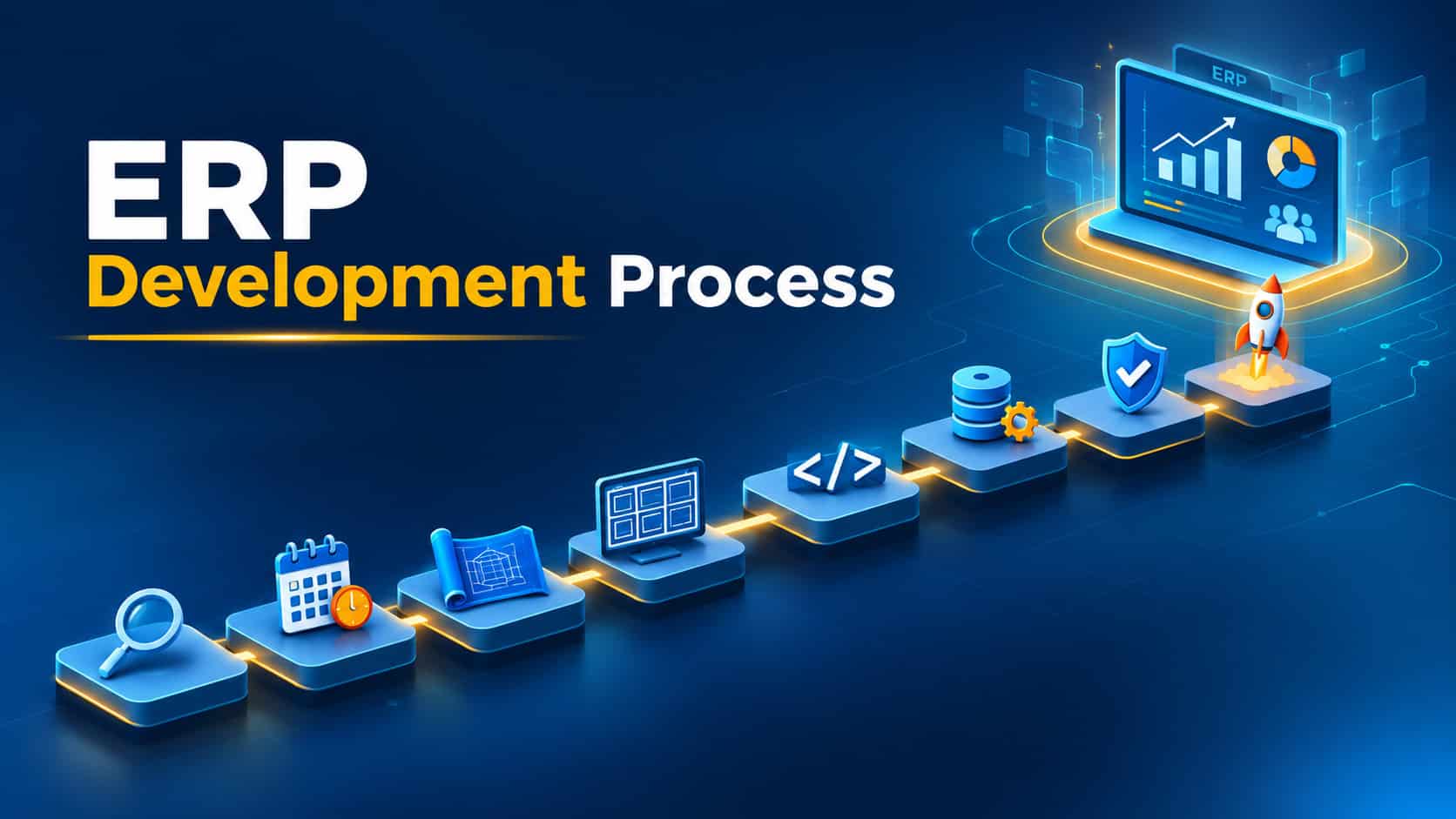
The ERP development process moves through eight phases, from discovery to ongoing support. Each phase has a defined goal, a set of deliverables, and a sign-off before the next one begins.
Step 1: Discovery and Requirements Analysis
First, the team studies how your business works today. Analysts run workshops with finance, operations, sales, and HR to map current processes and pain points. They also document integrations, reporting needs, and compliance rules. The output is a requirements specification and a prioritized feature list.
Step 2: ERP Project Planning and Roadmap
Next, ERP project planning turns requirements into a realistic schedule. The team splits features into a minimum viable product (MVP) and later releases. In addition, it sets the budget, milestones, risk register, and communication plan. A signed roadmap prevents scope creep later.
Step 3: Architecture and Technology Stack
This phase decides how the system is built. Architects choose between cloud and on-premise hosting, select the database and frameworks, and design the security model. They also plan how modules will share data and scale as you grow.
Step 4: UI/UX Design and Prototyping
Designers then create wireframes and clickable prototypes for each user role. Warehouse staff need fast, simple screens, whereas finance teams need dense reports and filters. Testing prototypes with real users catches usability problems before any code is written.
Step 5: Development in Agile Sprints
Developers build the ERP module by module, usually in two-week sprints. At the end of each sprint, stakeholders review working features and give feedback. This rhythm keeps the custom ERP development process visible and easy to steer.
Step 6: Integration and Data Migration
Meanwhile, the team connects the ERP to e-commerce platforms, banks, payment gateways, and legacy tools. Data migration runs in parallel: records are cleaned, mapped, and loaded in several trial runs. Rehearsing migration early avoids nasty surprises on launch weekend.
Step 7: Testing and Quality Assurance
Testing happens throughout the build, not only at the end. QA engineers run functional, integration, performance, and security tests. Finally, key users complete user acceptance testing (UAT) to confirm the system supports real daily tasks.
Step 8: Deployment, Training, and Ongoing Support
The last phase takes the ERP live. Teams choose a phased or “big bang” rollout, train users by role, and provide close support during the first weeks, often called hypercare. After that, regular updates, fixes, and new features keep the system aligned with your business.
How Long Does the ERP Development Process Take?
For most mid-sized companies, the ERP development process takes six to fourteen months from kickoff to go-live. Small, focused systems can launch in four to eight months, while multi-entity enterprise platforms often need twelve to twenty-four months or more.
| Phase | Typical duration | Key deliverable |
|---|---|---|
| 1. Discovery & requirements | 2–6 weeks | Requirements specification |
| 2. Project planning & roadmap | 1–3 weeks | Roadmap, budget, risk register |
| 3. Architecture & tech stack | 2–4 weeks | Architecture and security design |
| 4. UI/UX design & prototyping | 3–6 weeks | Clickable prototypes |
| 5. Development (agile sprints) | 3–9 months | Working, reviewed modules |
| 6. Integration & data migration | 4–10 weeks, overlapping development | Connected systems, migrated data |
| 7. Testing & QA | Continuous, plus 3–6 weeks of UAT | Test sign-off |
| 8. Deployment, training & support | 2–6 weeks, then ongoing | Live system, trained users |
Because several phases overlap, the total is shorter than the sum of the rows. However, the timeline grows with the number of modules, integrations, and departments involved. Slow decision-making on the client side is another common cause of delay.
Who Is Involved in a Custom ERP Development Process?
A custom ERP development process needs people from both your company and your development partner. Clear roles keep decisions fast and accountability visible.
| Role | Side | Main responsibility |
|---|---|---|
| Executive sponsor | Client | Approves budget, sets priorities, removes blockers |
| Project manager | Both | Owns schedule, risks, and communication |
| Department champions (key users) | Client | Share requirements, test features, train peers |
| IT / data owner | Client | Provides data, system access, and integration details |
| Business analyst | Vendor | Maps processes and writes requirements |
| Solution architect | Vendor | Designs the technical architecture |
| UI/UX designer | Vendor | Creates prototypes and user flows |
| Developers | Vendor | Build modules and integrations |
| QA engineers | Vendor | Plan and run tests |
In our experience, the department champions matter most. When respected team members help shape the system, adoption rises naturally.
Agile vs. Waterfall: Which Approach Suits ERP Development?
Most modern ERP software development process models use agile sprints inside a phased roadmap. Pure waterfall still suits projects with fixed, well-known requirements, but it delays feedback until late in the build.
| Factor | Agile | Waterfall |
|---|---|---|
| Planning style | Rolling plan, refined each sprint | Full plan fixed upfront |
| User feedback | Every 2–4 weeks | Mostly at the end |
| Handling change | Expected and managed | Costly and slow |
| Visibility | Working software early | Documents until late stages |
| Budget control | Prioritized backlog within a cap | Fixed scope and price |
| Best for | Evolving needs, custom workflows | Stable, tightly regulated scope |
The principles behind agile are set out in the Agile Manifesto. In practice, a hybrid works well for ERP: fix the budget and core scope, then deliver in short, reviewable sprints.
How Is the ERP Implementation Process Different From Development?
Development builds the software, while the ERP implementation process puts it into daily use. Implementation covers configuration, data loading, training, rollout, and early support. Both must be planned together, because a well-built system still fails if nobody uses it.
These are the core ERP software implementation steps:
- Finalize and clean data for the production load.
- Configure roles and permissions for every user group.
- Train users by role with hands-on sessions and short guides.
- Run a pilot or parallel period with one team or site.
- Go live using a phased or full rollout.
- Provide hypercare support for the first two to six weeks.
- Review KPIs and plan the next improvement cycle.
Implementation also affects your budget. For a full breakdown, see our guide to ERP development cost.
What Does a Real ERP Development Process Look Like?
To make the phases concrete, here is an illustrative ERP development process plan prepared by Elysian Intelligence Business Solution. The client is a 120-employee wholesale distributor that needs five modules: finance, inventory, procurement, sales, and reporting.
| Phase | Weeks | Notes |
|---|---|---|
| Discovery & requirements | 1–4 | 14 workshops across 5 departments |
| Planning & roadmap | 5–6 | MVP = finance, inventory, sales |
| Architecture & tech stack | 6–8 | Cloud hosting, role-based security |
| UI/UX design | 7–11 | 38 screens prototyped and user-tested |
| Development | 10–29 | 10 two-week sprints |
| Integration & data migration | 22–31 | E-commerce store, bank feed, 3 trial migrations |
| Testing & UAT | 12–34 | Continuous QA; UAT in weeks 31–34 |
| Deployment & training | 35–38 | Phased go-live by department |
| Hypercare | 39–42 | Daily support check-ins |
Thanks to overlapping phases, go-live lands in week 38, roughly nine months after kickoff. Run strictly one after another, with UAT as the only dedicated testing block, the same phases would take about 52 weeks. Notably, development fills 20 of the 38 weeks, while discovery, planning, architecture, and design together span the first 11.
What Mistakes Derail the ERP Development Process?
Most ERP failures come from process gaps, not bad code. Watch for these six mistakes.
- Rushing discovery: Missing requirements resurface later as expensive change requests.
- Building everything at once: A huge first release delays value and multiplies risk.
- Leaving data migration to the end: Dirty data then blocks go-live.
- Excluding end users: People resist systems they never helped design.
- Testing only at the end: Late defects are slower and costlier to fix.
- Cutting training: Without it, staff return to spreadsheets within weeks.
In this scenario, time savings deliver most of the early value. Meanwhile, win-rate gains usually grow in year two as forecasting and automation mature.
Final Thoughts on the ERP Development Process
A clear ERP development process turns a risky, company-wide project into a series of manageable steps. Start with thorough discovery, plan an MVP, build in short sprints, and rehearse data migration early. Above all, invest in testing and training, because adoption decides your return.
If you are planning a new ERP or replacing an old one, Elysian Intelligence Business Solution can guide you through every phase, from first workshop to post-launch support. Book a free ERP consultation to map your roadmap with our team.